This tab displays the selected student's test score history and provides the ability to enter any new or edit any current test scores. You can select one of the secondary tabs to see a different set of scores.
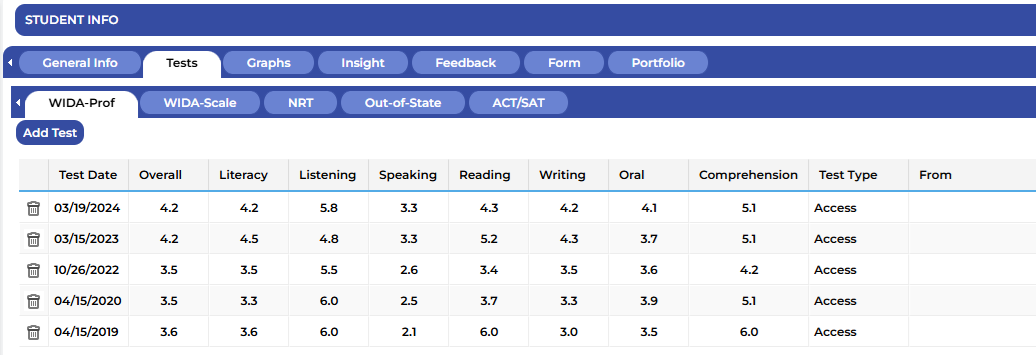
Watch the video below to learn more about the Tests Tab and how to enter scores.
¶ WIDA
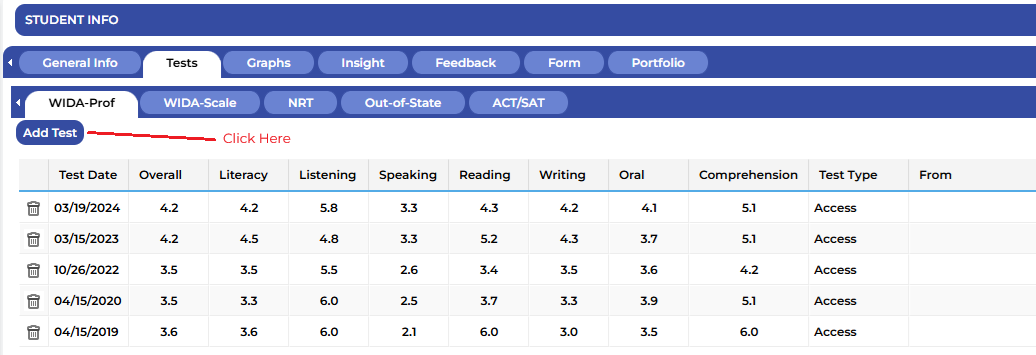
To add a new test score click on Add Test
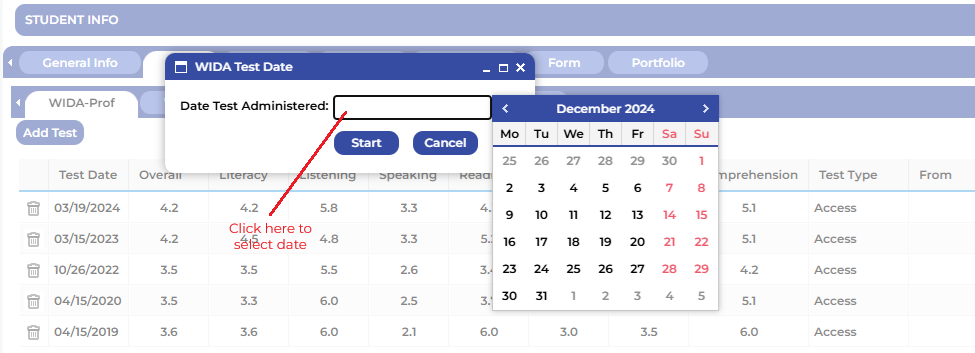
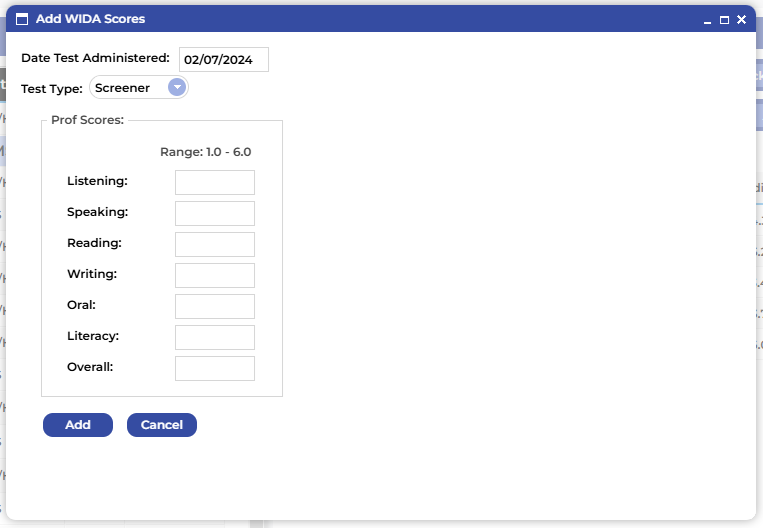
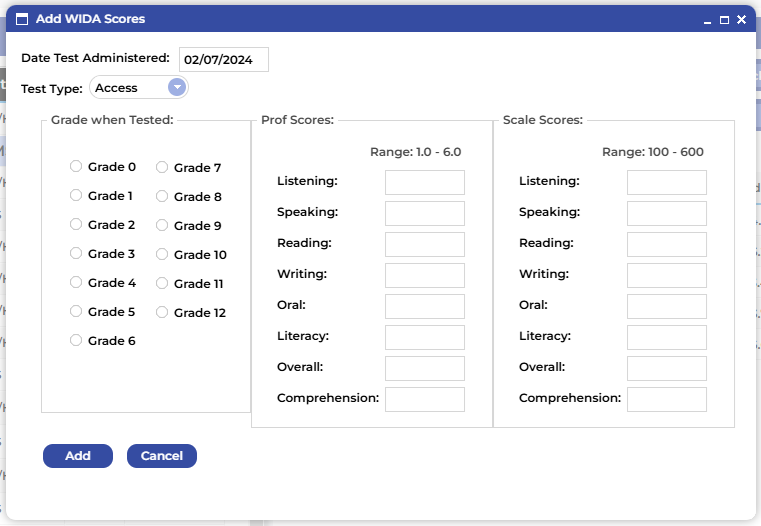
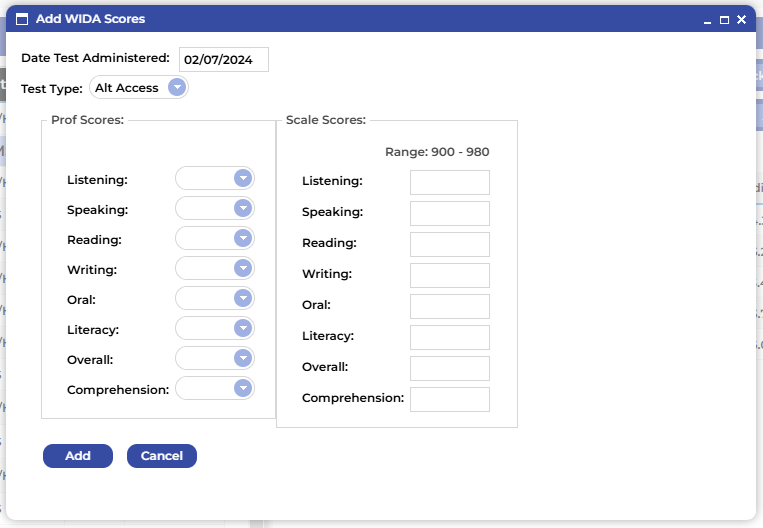
Click in the Date Test Administered: window to select the test date.
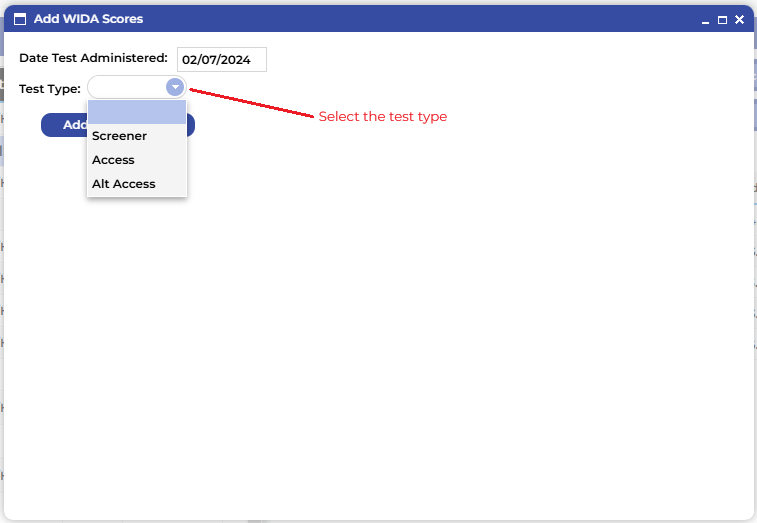
Select the test type and then enter the appropriate results.
¶ Screener Score Entry
¶ ACCESS Score Entry
¶ Alternate ACCESS Score Entry
¶ NRT
Watch the video below to see how to enter an NRT score.
¶ Out of State Test Scores
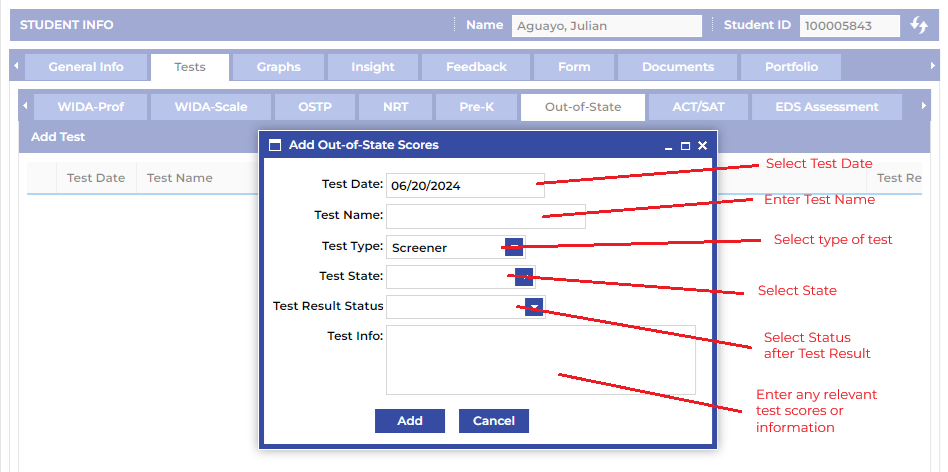
To add a new test score click on Add Test and then enter the following information:
- Click in the Test Date window and select the date from the date picker.
- Enter the name of the assessment used.
- Select the type of the test score that is being entered.
- Select the State in which the test was administered.
- Select the status of the status of the student based on the results of the test score being entered.
- Enter any scores or relevant information.
Watch the video below to see how to enter Out of State Test Scores.